
How to Use Claude AI: Complete Beginner’s Guide (2026)

What is Claude AI?
Artificial intelligence is no longer just for tech companies. Today, anyone — a freelancer, a shop owner, a student, or a marketer — can use AI to work smarter and faster. One of the best AI tools available right now is Claude AI, and in this guide you will learn exactly how to use Claude AI from scratch.
Whether you want to write better content, save hours every week, or grow your business without hiring more staff, Claude can help you do all of that — starting today.
What is Claude AI?
Claude is an AI assistant built by Anthropic, a company focused on making AI safe and useful. Think of Claude as a very intelligent assistant who can read, write, research, summarise, and have natural conversations with you — 24 hours a day, 7 days a week.
Unlike other AI tools, Claude is designed to be honest and careful. It tells you when it is unsure, avoids making things up, and produces content that sounds natural and human. You can access Claude for free at claude.ai — no technical knowledge required.
Why Should You Learn How to Use Claude AI in 2026?
In 2026, businesses that use AI tools are growing faster than those that do not. Here is why learning how to use Claude AI is one of the smartest investments you can make right now:
- Save 5–10 hours every week. Claude handles writing, research, and planning tasks that normally take hours — in just minutes.
- Produce better content. Claude writes blog posts, emails, social media captions, and website copy that are clear, engaging, and professional.
- No expensive team needed. A single person using Claude can do the work of an entire content team.
- Perfect for Indian businesses. Claude understands the Indian market, local business contexts, and writes naturally in Indian English.
- It is mostly free. The free plan at claude.ai gives you generous daily access with no credit card required.
How to Use Claude AI: Step-by-Step Guide
Follow these simple steps to start using Claude AI today.
Step 1: Create Your Free Account
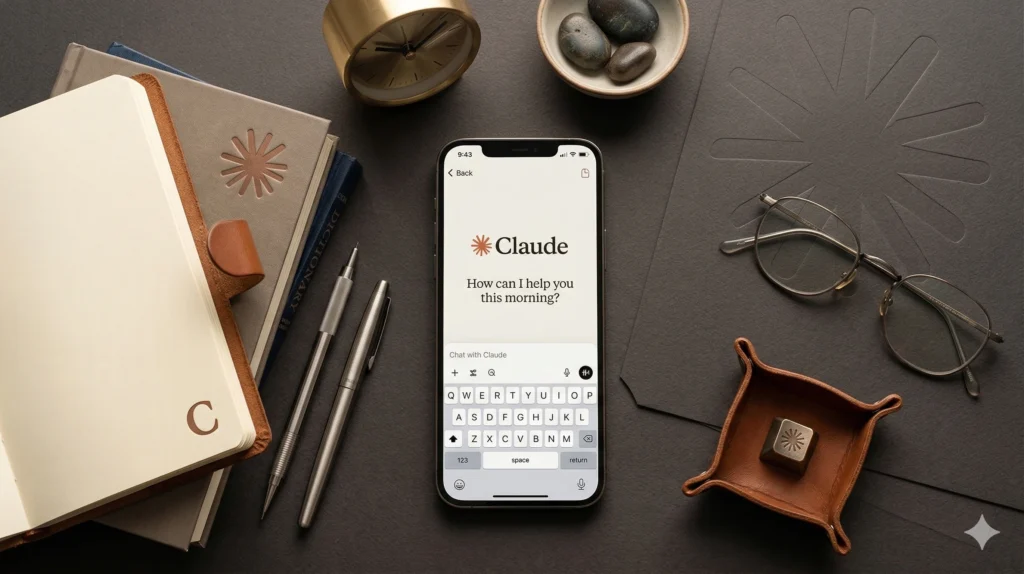
Go to claude.ai and sign up using your email address or Google account. Account creation takes less than two minutes. Once logged in, you will see the chat interface — a simple text box where you type your requests.
Step 2: Write Your First Prompt
A prompt is simply the message you type to Claude. It is your instruction. The quality of Claude’s response depends almost entirely on how clearly you write your prompt.
Start simple. Type something like: “Write a short Instagram caption for a web design business in Delhi.” Claude will respond immediately with a ready-to-use caption.
Step 3: Be Specific for Better Results
The more detail you give Claude, the better the output. A strong prompt includes the topic, tone, length, target audience, and any keywords to include.
Weak prompt: “Write a blog about SEO.”
Strong prompt: “Write a 700-word blog post titled ‘Why Local SEO is Important for Small Businesses in Delhi NCR in 2026’. Use a friendly tone. Target small business owners who are not technical. Include the keyword ‘local SEO Delhi NCR’ naturally 3 times. Add an introduction, 4 subheadings, and a conclusion with a call to action.”
The strong prompt gets you a publishable blog post. The weak prompt gets you a generic article.
Step 4: Refine with Follow-Up Messages
Claude remembers your full conversation. If the first response is not exactly right, ask Claude to improve it. You can say things like “Make it shorter”, “Add more examples”, “Rewrite the introduction to be more engaging”, or “Add a FAQ section at the end.” Keep refining until you are completely happy.
Step 5: Copy, Edit, and Publish
Once you are happy with the output, copy it into your WordPress editor, Google Doc, or email tool. Do a quick read-through, make any personal tweaks, add your images, and publish. That is all there is to it.
8 Powerful Ways to Use Claude AI for Your Business
Now that you know the basics of how to use Claude AI, here are the most valuable use cases — especially for freelancers and businesses in India.
1. Write SEO Blog Posts
Claude can write fully structured, keyword-rich blog posts in minutes. Give it your target keyword, word count, and tone — and it delivers a post ready to publish. This is perfect for building your website’s SEO authority without spending hours writing every week.
2. Write Emails and Client Proposals
From cold outreach emails to client proposals and follow-up messages, Claude writes professional business communications that get responses. Just describe the situation and Claude handles the writing.
3. Create Social Media Content
Need 10 LinkedIn posts, 15 Instagram captions, or a week of Facebook updates? Claude can create an entire month of social media content in one sitting. Just tell it your niche, audience, and the type of content you want.
4. Do Keyword Research and SEO Planning
Ask Claude to suggest blog topics, generate keyword lists, write meta titles and descriptions, create FAQ content, and build content cluster strategies. It is like having an SEO consultant available at all times.
5. Summarise Long Documents
Paste a long PDF, report, article, or email thread and ask Claude to summarise it in bullet points or plain English. This saves enormous amounts of reading time.
6. Write Website Copy
Home page headlines, about page content, service descriptions, and landing page copy — Claude produces persuasive, professional website content that converts visitors into leads.
7. Create WhatsApp Marketing Messages
For businesses in Delhi NCR using WhatsApp to reach customers, Claude can write broadcast messages, promotional offers, and follow-up scripts that feel personal and drive responses. Learn more about WhatsApp Marketing for small businesses in Delhi NCR.
8. Plan Your Business Strategy
Ask Claude to help you build a content calendar, develop a marketing strategy, plan a product launch, or analyse your competition. It gives structured, actionable plans based on the information you provide.
How to Use Claude AI for SEO in Delhi NCR
If you run a business in Delhi, Noida, or Gurgaon, combining Claude AI with local SEO is a powerful strategy for 2026. Here is a simple workflow:
- Ask Claude to generate 20 blog topic ideas targeting your city and service.
- Pick the best topics and ask Claude to write each post with your target keyword included naturally.
- Use Rank Math (already installed on your site) to check the SEO score before publishing.
- Interlink your new posts to your service pages to build topical authority.
This workflow can produce 4 high-quality, SEO-optimised blog posts every week — without a content team. Check out our SEO services in Delhi NCR if you need expert help alongside your AI workflow.

Claude AI vs ChatGPT: Which is Better for Indian Businesses?
Both Claude and ChatGPT are excellent tools, but they have different strengths. Claude is widely preferred for writing tasks, long-form content, and business communication because it produces more natural, nuanced content and is less likely to generate repetitive or generic text.
For freelancers and small business owners in India who primarily need content writing, email drafting, and SEO support, Claude is the better choice. It handles long prompts better, stays on topic more consistently, and produces output that requires less editing before publishing.
Frequently Asked Questions About Claude AI
Is Claude AI free to use?
Yes. Claude has a free plan at claude.ai that gives you access to powerful AI capabilities every day. A paid Pro plan is available for users who need higher limits or more advanced features. For most freelancers and small business owners, the free plan is more than enough to start seeing results.
Can I use Claude AI in India?
Yes, Claude is fully available in India and works perfectly for Indian English, Indian business contexts, and local SEO content targeting cities like Delhi, Mumbai, Bangalore, Noida, and Gurgaon.
Do I need technical knowledge to use Claude?
No. Claude is designed for everyone. If you can type a message on WhatsApp, you can use Claude. No coding, no technical skills, and no training required.
How do I get better results from Claude?
Write specific, detailed prompts. Include your audience, tone, length, and any keywords. Use follow-up messages to refine the output. The more clearly you communicate what you want, the better Claude performs.
Is Claude better than ChatGPT for content writing?
Many writers and marketers find Claude produces more natural, human-sounding content compared to ChatGPT. For blog writing, website copy, and business communication, Claude is widely considered the stronger option.
Topic Cluster: Related Posts Coming Soon
This is the pillar post in our Claude AI topic cluster. We will be publishing these related guides soon:
- How to Use Claude AI for Content Writing
- How to Use Claude AI for SEO and Keyword Research
- Claude AI for Freelancers in India: Save 10 Hours Per Week
- Claude AI vs ChatGPT: Which is Better for Your Business?
- How to Write Better Prompts for Claude (Prompt Engineering Guide)
- How to Use Claude AI to Build a WordPress Website
- Claude AI for Small Business Owners in Delhi NCR
Final Thoughts
Learning how to use Claude AI is one of the most valuable skills you can develop in 2026. It saves time, improves your output, and helps you compete with businesses that have much larger teams and budgets.
Whether you are a freelance web designer in Delhi, a small business owner in Noida, or a digital marketer in Gurgaon — Claude is ready to become your most productive team member.
Start today. Go to claude.ai, create your free account, and type your first prompt. Within minutes you will see exactly how powerful this tool really is.
Looking to combine AI tools with professional SEO and web design services? Contact us today and let’s grow your business together.
